
S7 PLCSIM is simulation software helpful for you when you program with Siemens PLC. We can debug and validate a single PLC program without requiring actual hardware or connect to a SCADA/HMI for testing the program.

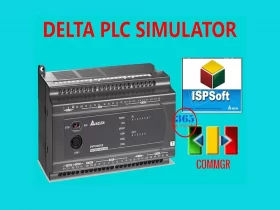
Delta PLC Simulator Connect HMI successful without any hardware. We used the PLC simulator on ISPSoft to connect the HMI offline simulation.
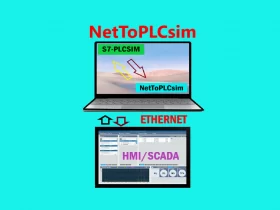
NetToPLCsim helps you to access the S7-PLCSIM from your network via TCP/IP. NetToPLCsim helps you test the SCADA/HMI without a real PLC

DOPSoft Tag table can import the Symbol Table from WPLSoft & ISPSoft. With this, we can create the tag table simple and effective.
ISPSoft 3.14 - How to create and manage the symbol table (variables) by using the "Export and Import Symbol" functions - Easy and quick.

Frenic Loader 4 software for the Fuji Frenic inverter series is a helpful tool for configuring and monitoring frenic inverter series. Try Frenic Loader.

This post, 365EVN guide you to simulation PLC Delta use Delta WPLSoft 2.51 on Windows 10. You can try it on Windows 7/8 without issue.
Delta DIAStudio Smart Machine Suite helps you to simplify the process, save time and cost for building a machinery system.

Delta DIAStudio Smart Machine Suite helps you to simplify the process, save time and cost for building a machinery system.

How to connect S7 200 PLC to WinCC Flexible 2008 SP5 on Windows 10. This post 365EVN will show you detail of the step to do it.